
AI rendering is completely changing how we turn building plans into realistic pictures. For design pros, it cuts out hours of waiting and makes sharing ideas with clients so much easier. In the past, creating a good architectural rendering meant endless tweaking and slow computer processing. Now, AI does the heavy lifting almost instantly. It means you can show your clients exactly what their future home or office will look like without the usual delays. It just makes the whole design communication process a breeze. And it lets you focus on the creative side instead of fighting with software.
What Is Architectural Rendering?
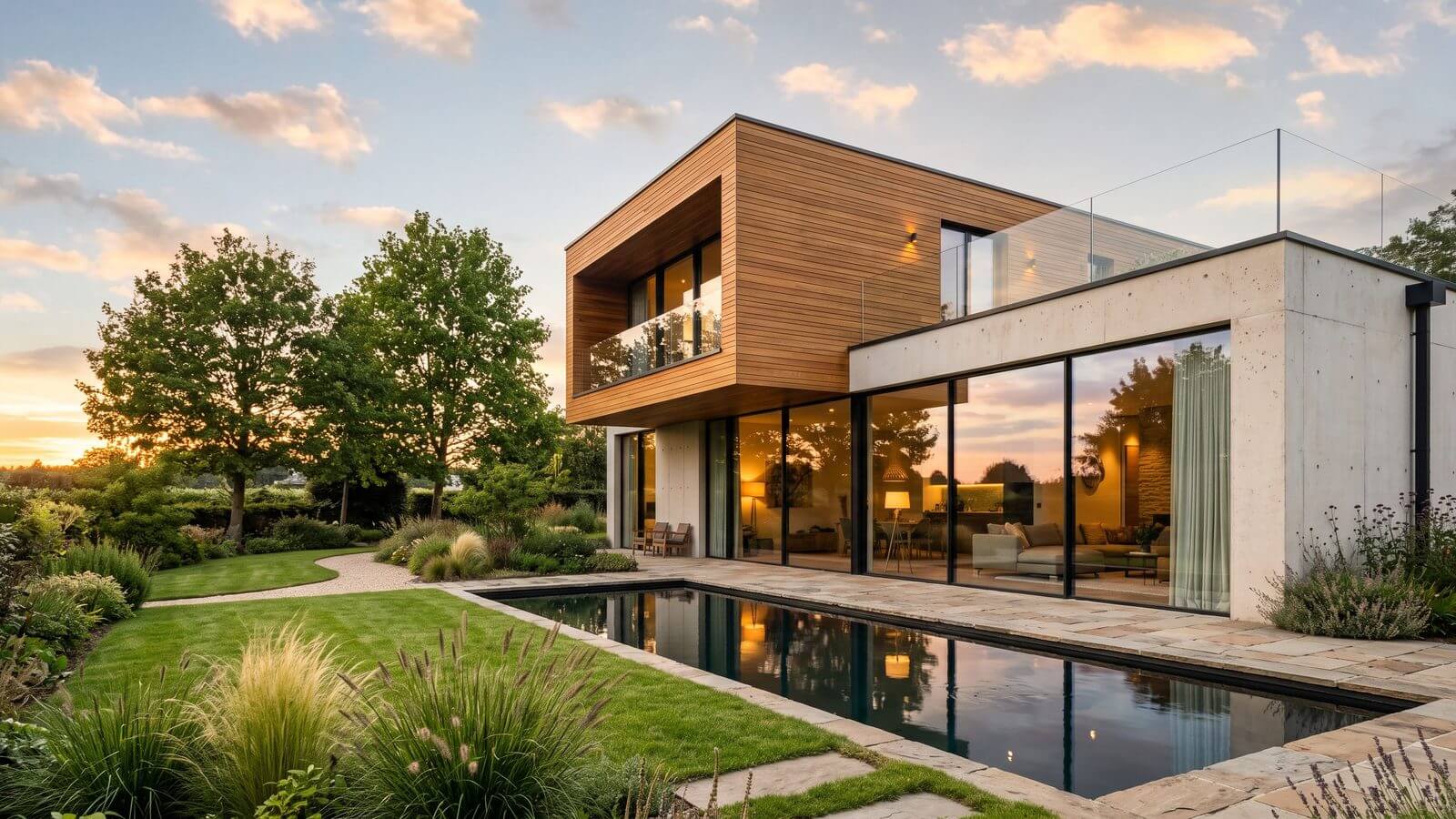
So, what exactly is this process? Simply put, it’s the bridge between a flat blueprint and a lifelike image. Before you even buy the materials, you want to see the final product, right? It’s what rendering does. It takes basic 3D floor plans or sketches and breathes life into them. It adds the sunlight, the shadows, the texture of the brick, and the reflections in the glass.
When you’re trying to sell an idea to a client or an investor, words aren’t enough. People need to see it to believe it. A solid visual representation removes all the guesswork. Instead of hoping the client understands your vision, you just show them. And now, thanks to AI architectural rendering, getting those visuals ready for the big presentation is faster and way less stressful than it used to be.

What Is AI Architectural Rendering?
Think of AI as your fast web assistant for creating visuals. You don’t need to sit there manually adjusting every single light bulb or material texture. The AI steps in here. It uses smart algorithms to figure out how light should bounce off a wooden floor or how glass should reflect the sky.
If your client suddenly decides they want to see three different color options for a living room, AI handles it in seconds. With traditional methods, that would take forever. The real game-changer here is speed. AI 3D rendering skips the agonizing wait times. You can even use a handy sketch to render feature to take your messy hand drawings and instantly turn them into something polished. You no longer have to struggle with lighting setups. Using the right architectural rendering software makes the whole job feel effortless. It lets you test out crazy ideas and see them come to life in real time.
AI Architectural Rendering vs Traditional 3D Rendering
Let’s compare the old way with the new way. Traditional rendering is tough. It requires a beefy computer, expensive programs, and a ton of tech skill. If you mess up one shadow, you have to hit the render button and wait another four hours. It tests your patience.
AI flips the script entirely. You don’t need to be a computer genius to get amazing results. The software does the hard math for you. That said, the traditional route still gives you absolute control over every single pixel. If you’re doing a massive Hollywood-style project, you might still want that manual control. But for day-to-day work? AI wins easily because it’s so fast and flexible. Lots of designers actually mix the two now. They lean on AI architectural design for quick mockups and client meetings. Then, they switch over to classic architectural 3D rendering when they need that one perfect, final marketing shot.
Benefits of AI Architectural Rendering for Design Professionals
Time is money. And AI gives you your time back. Honestly, that is the biggest perk. Designers spend way too much of their week doing boring, repetitive visualization tasks. AI takes those off your plate. You get to actually design things instead of staring at loading screens.
It makes developing concepts a lot more fun. You can swap out exterior materials five times in a minute just to see what sticks. Exploring more options usually leads to a better final product. Plus, talking to clients gets way easier. Most people can’t read a blueprint to save their lives. They need to see a real picture. When you can update a design right in front of them during a meeting, it builds a ton of trust. You catch mistakes early and stop those annoying back-and-forth emails. And it works for everything, inside and out. Using tools for AI rendering for interior designers helps you nail the indoor vibe instantly. Adding AI architectural rendering to your toolkit just makes your working life better.
How Architectural Rendering Software Supports the Design Process
A great tool doesn’t force you to change how you work. It just fits right in. The typical workflow starts when you drop your basic 3D model into the program. From there, the fun begins. You start slapping on materials like:
- Concrete
- Glass
- Warm wood
Then, you play with the lighting. You can set it to a bright sunny afternoon or a moody, overcast morning. The software lets you easily set up different camera angles, too. Clients want to see the front door. But they also care about the backyard and the living room. You need to show them all those angles to get the green light. Whether you’re working on a massive office building or focusing on cozy AI interior design, creating these views is a snap. Good architectural rendering keeps your project rolling smoothly. So you don’t get stuck waiting around when you should be moving forward.
3D Rendering Software for Architects: What to Look For
So, how do you pick the right tool? First off, it has to be easy to use. Nobody wants to spend three weeks learning a confusing interface. It also needs to play nice with the modeling software you already have installed.
Quality is huge, obviously. You want images that look like real photos. Look for built-in AI features that will speed up your daily tasks. Some of the bigger design firms even hook up an architectural rendering API. It connects the tech directly to their own custom setups. Finally, ensure it spits out the file types you actually need, whether that is high-res JPEGs or cool 360-degree panoramas. If it checks all these boxes, your 3D architectural rendering workflow is going to be incredibly fast, smooth, and ready for whatever your clients throw at you.
Commercial Architectural Rendering Services
Sometimes, you just can’t do everything in-house. That is totally fine. Big developments often need a crazy amount of visual material. Are you trying to market a brand new skyscraper or a luxury neighborhood? Then, you need top-tier, cinematic images.
Pro rendering studios have walls of computers and teams of people dedicated to this exact thing. They know how to create images that make people feel something. For example, a builder wants to sell million-dollar condos before they even start digging. Then, they need flawless pictures. Great visuals are the secret sauce in AI for real estate promo. When the stakes are that high, and you need the absolute best quality possible, paying for commercial architectural rendering services is just a smart investment.
How to Use AI for Architectural 3D Rendering
Getting started is pretty simple. First, let the AI whip up some quick initial concepts from your basic models or text prompts. Try out a few wild ideas. Once you pick a favorite, use the software to tweak the lighting and shadows. Check how it looks at night versus daytime. Finally, run it through an upscaler to get that crisp, high-resolution finish. It saves you from getting bogged down in endless settings menus.
The Future of AI Architectural Rendering
Things are only going to get faster from here on out. Pretty soon, we will have real-time updates as we work. Imagine moving a wall in your blueprint and watching the photorealistic image update instantly on your second monitor. No lag at all. The American Institute of Architects runs an AI in architecture hub with practical tools, education and guidance for firms that want to use AI responsibly.
These tools are also getting way easier for beginners to pick up. You won’t need a manual anymore. Before long, jumping into your favorite 3D rendering software for architects will feel like having an entire pro visualization team right there on your laptop.